
DAMI Guide for TikTok Shop Creator Outreach
A practical English guide to DAMI store authorization, creator discovery, outreach tasks, sample follow-up, message center workflows, and team operations for TikTok Shop sellers.
What this DAMI guide covers
DAMI is best understood as an operating layer for TikTok Shop creator outreach: store authorization, creator discovery, outreach tasks, message handling, sample follow-up, team roles, and campaign review. This guide turns the local DAMI Ultra documentation into an English workflow for sellers and operators.
Store authorization
Connect TikTok Shop stores through the official authorization flow before running outreach tasks.
Creator outreach
Build creator segments, batch-select creators, send invitations, run DMs, and manage email tasks.
Operations review
Track sample requests, fulfillment videos, creator rankings, team permissions, and message center activity.
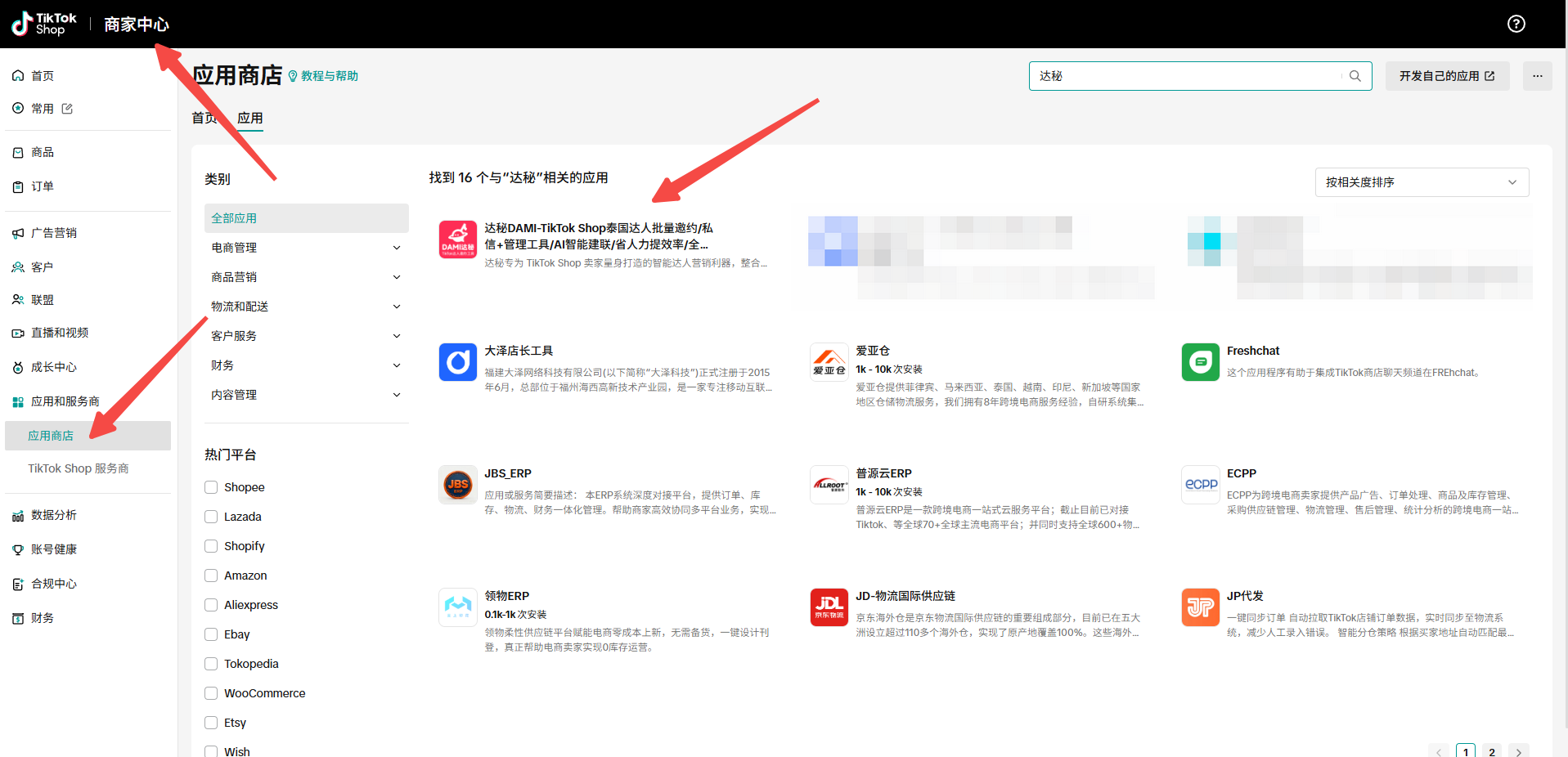
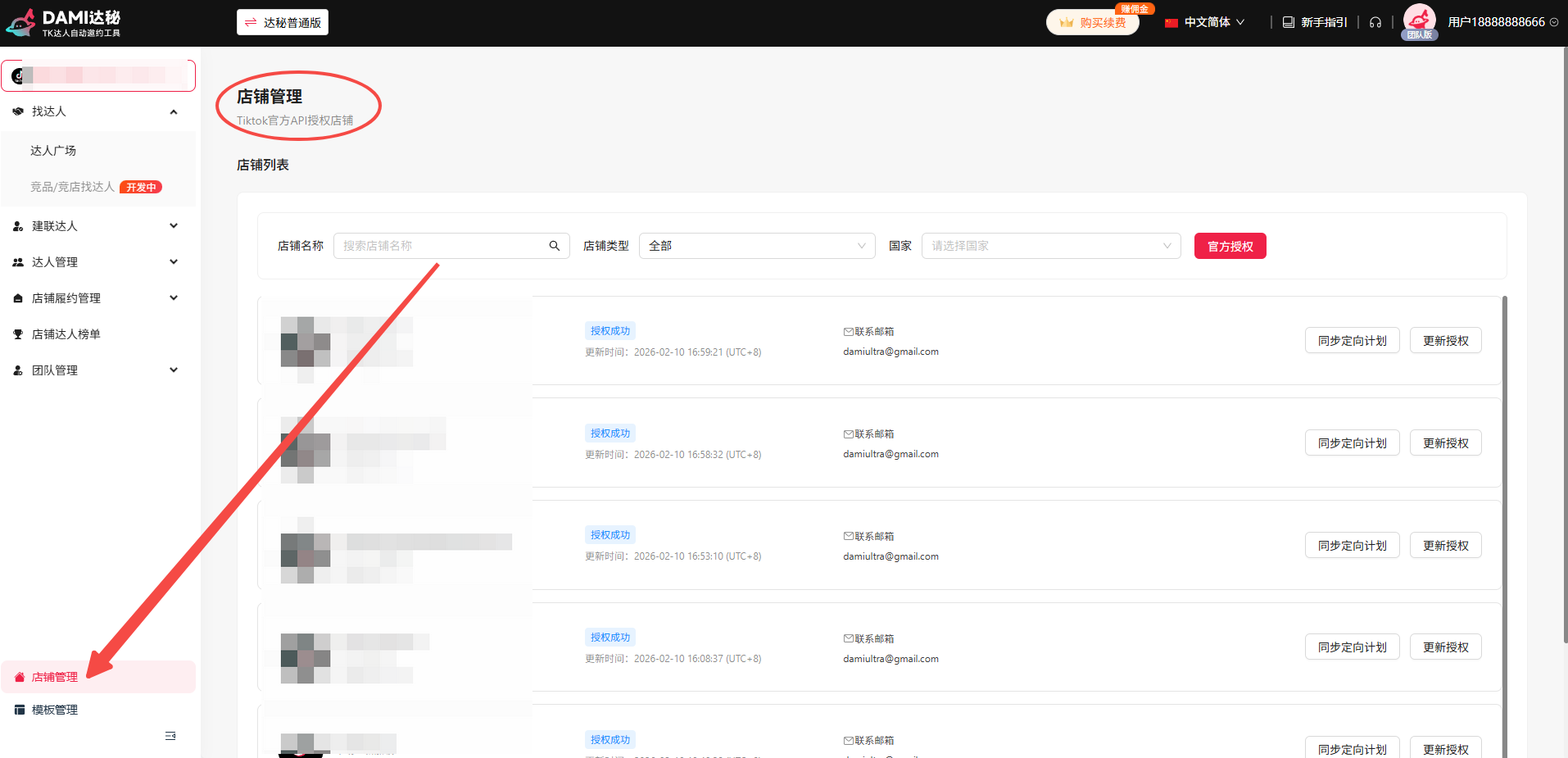
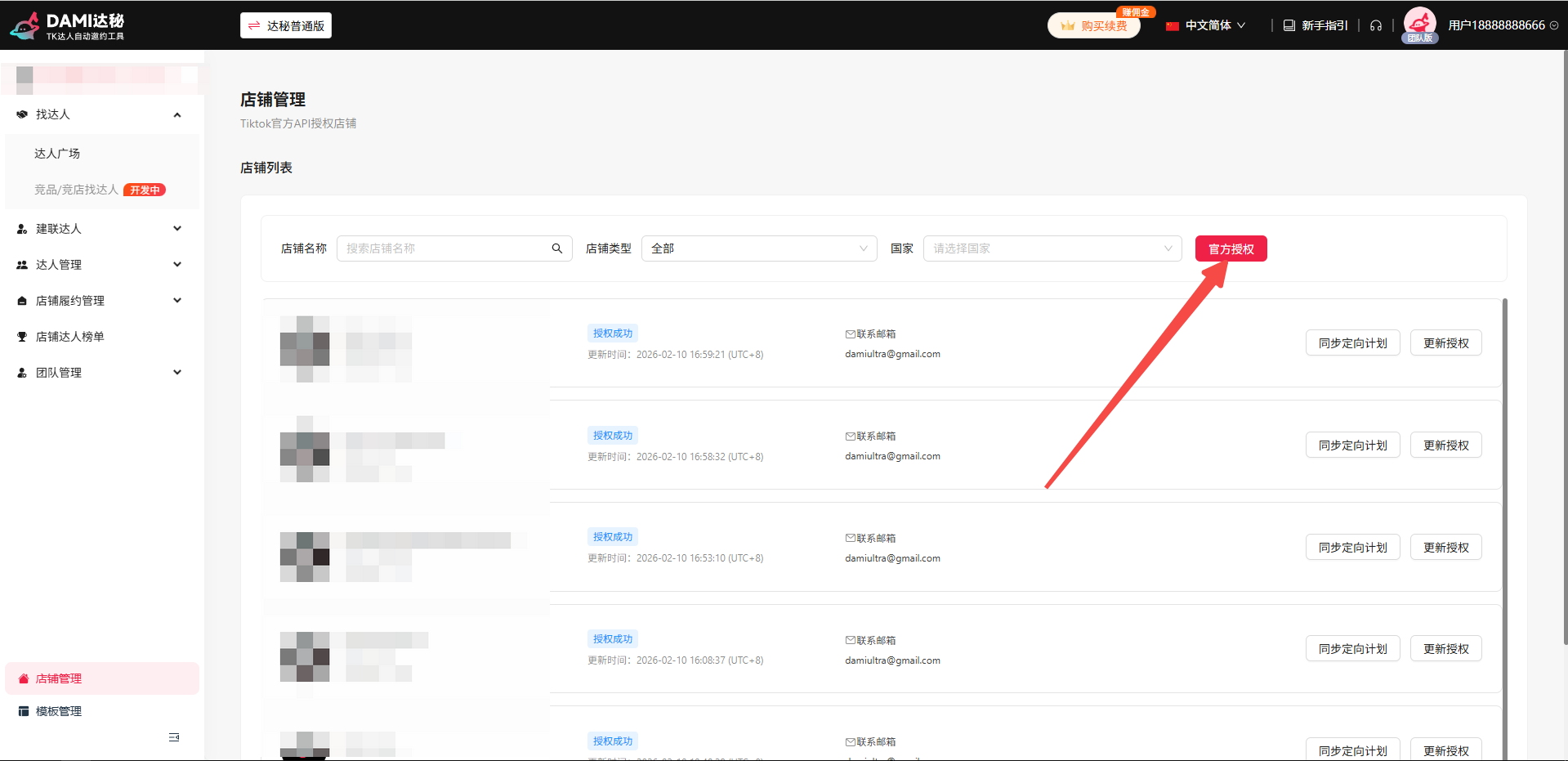
DAMI setup screenshots from the product workflow
These screenshots come from the local DAMI Yuque knowledge base. They show the key setup path used before creator outreach begins.
Core DAMI workflow
Connect stores through the official TikTok Shop API
Open Store Management, authorize the store, then sync targeting plans so creator filtering and outreach plans stay accurate.
Find and segment creators
Use condition combinations, saved filters, cross-page selection, and sequence-based batch selection to build outreach groups.
Create outreach tasks
Choose an outreach method such as batch invitation, batch DM, or email. Curated, auto-match, and specific-creator modes support different campaign needs.
Manage creators, replies, and samples
Use the creator library, outreach management, blacklist, sample review, store creator management, and message center to keep follow-up visible.
Review fulfillment and team performance
Check fulfillment video management, creator rankings, team roles, and performance signals to improve the next campaign cycle.
Feature map for sellers and operator teams
| DAMI area | What it helps with | Best next page |
|---|---|---|
| Store authorization | Bind stores, switch stores, and sync targeting plans. | DAMI Tutorial |
| Creator discovery | Filter creators, save segments, batch-select profiles. | Find Creators |
| Outreach tasks | Batch invitations, DMs, email, task retries, failed creator exports. | Outreach Guide |
| Sample workflow | Review requests, track fulfillment, monitor videos and creator output. | Sample Management |
| Message center | Sync 30 days of messages, filter by store, reply, and use AI-managed notes. | Follow-up Workflow |
DAMI Guide FAQ
Is DAMI only for one TikTok Shop store?
No. The Yuque source describes multi-store binding, store switching, and team collaboration for parallel operations.
Does DAMI require a browser extension?
The local DAMI source says outreach tasks can launch through a browser workflow and do not require a desktop client for the core API-based outreach flow.
What should sellers do after store authorization?
Sync targeting plans, define creator filters, then create a focused outreach task rather than sending broad messages immediately.
Continue with the detailed DAMI tutorial
Use the tutorial to walk through store authorization, creator criteria, outreach tasks, sample follow-up, and review.