DAMI Ultra in Action: How a 5-Store TikTok Shop Team Runs It
Maya runs creator partnerships for a beauty brand that sells on TikTok Shop in five markets: Indonesia, Vietnam, Thailand, Malaysia, and the US. Six months ago, her team of four worked from a single shared spreadsheet. Every Monday, they argued about who had already reached out to whom. By Wednesday, two operators had emailed the same creator. By Friday, the store manager in Jakarta asked why a creator they were already talking to was suddenly posting content for the Thailand store.
What changed was not the team. They still argue sometimes. What changed was the workspace they worked in. One of Maya’s operators, fresh from a lunch with a peer at another brand, mentioned a tool called DAMI Ultra. The team tried it on one store. Then on two. By the end of the next quarter, all five stores were running through it. No one made a formal announcement. It just became where the work happened.
This is what that looks like from the inside, week by week.
Maya’s Monday: One Workspace, Five Stores
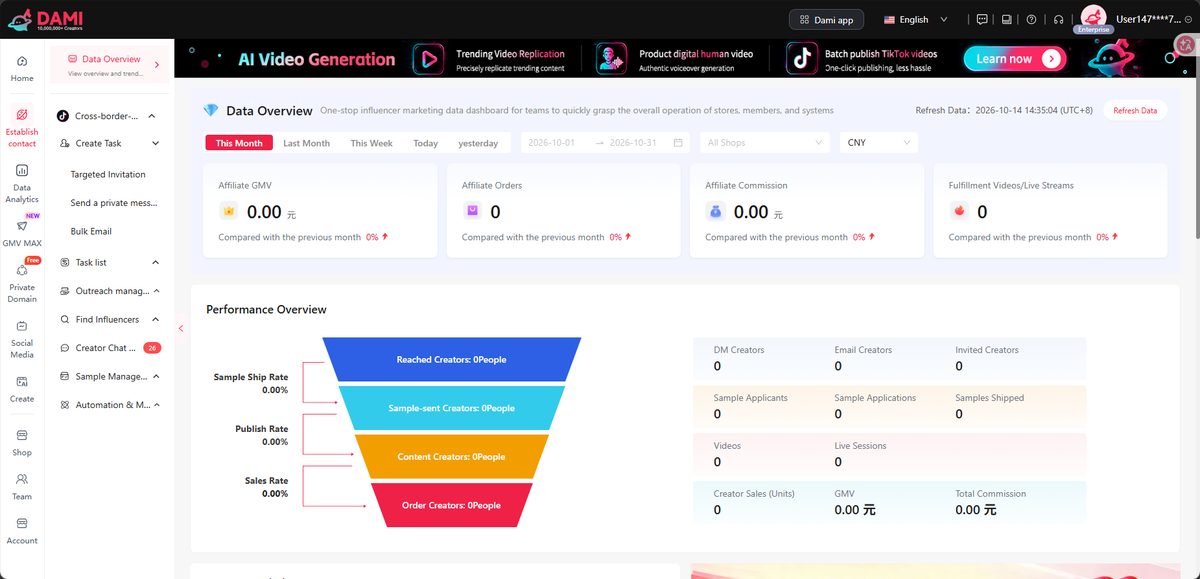
Monday is the day Maya switches contexts the most. Before, that meant logging in and out of five different TikTok Shop seller dashboards, opening three spreadsheets, and scrolling yesterday’s Slack to find out what each operator was working on. Now she opens one workspace in DAMI Ultra, and all five stores are there.
Each store still has its own creator list, its own outreach, its own data. The difference is that Maya can see all of them at the same time. When an operator in Vietnam flags a creator moving fast on TikTok Shop, Maya can check whether the team in Indonesia is already talking to that same creator before the message goes out. In the old setup, that check was a Slack search and a guess.
A multi-store manager in Ho Chi Minh who runs two stores in different countries put it this way: “I used to spend the first hour of every morning just logging in and out. Now I switch in one click. I have not thought about it in months.”
For a team of four covering five markets, that single workspace is what makes the operation feel like one operation instead of five parallel ones.
Maya’s Tuesday: Finding Creators Who Already Sell Her Categories
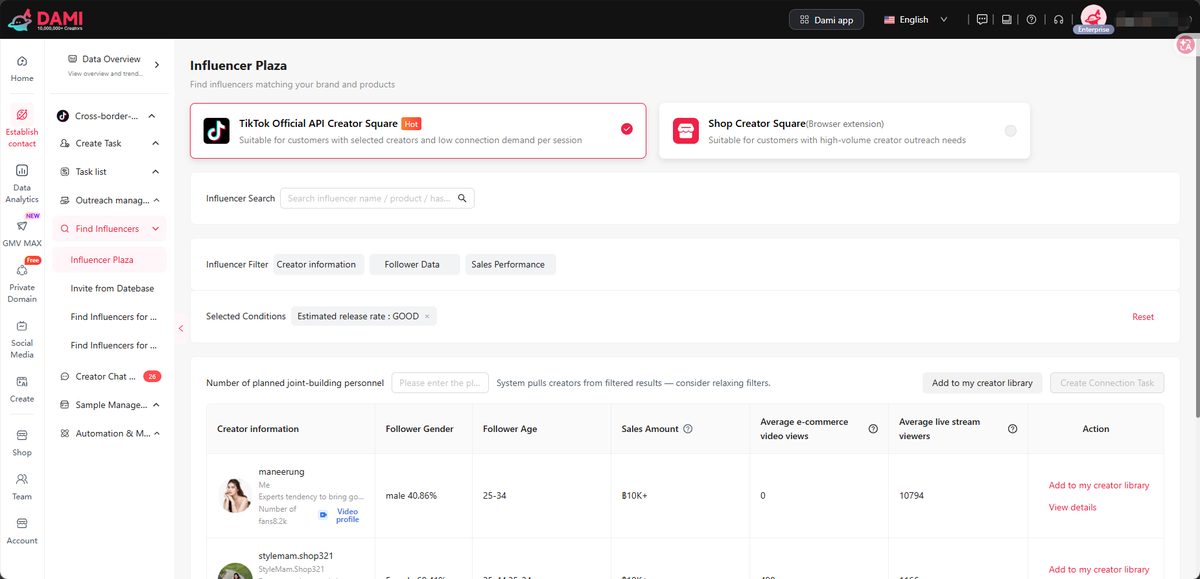
Tuesday is creator-mining day. Maya opens the creator library in DAMI Ultra — 8 million-plus creators and counting — and starts from a different angle than she used to. Instead of typing keywords into a search bar, she pulls up a competitor’s TikTok Shop store and looks at who has been posting shoppable content for them. Then she pulls up a rival brand’s storefront and does the same. The names that show up in both lists are usually the ones worth a first message.
The filters are what make this practical. Maya can narrow by country, product category, follower range, and recent content performance in the same view. A creator in Jakarta with 80,000 followers and three recent beauty videos with strong engagement behaves very differently from a creator with the same follower count and no recent shoppable content. The filter panel helps her tell those apart without opening twenty tabs.
A creator partnerships lead at a beauty brand in Bangkok said her team stopped doing manual TikTok searches after their second week. “We were already working from a list of creators who had proven themselves in the category. That was the change.”
Maya’s Wednesday: Outreach in Four Languages
Wednesday is the day messages go out. The team has a list of forty to sixty creators they want to reach this week, scattered across five markets. In the old setup, that meant a separate Google Doc for each market and a translator in another tab. Now the team drafts a few message templates in DAMI Ultra and runs them as bulk invitations.
The template system keeps the message human. Each invitation references the creator’s recent content, the product angle Maya’s team is pushing that month, and a clear commission rate. The AI multi-language layer in DAMI Ultra translates the message into Thai, Vietnamese, Indonesian, and Malay without losing the tone Maya’s team has set.
For Southeast Asia brands, the language part matters more than it sounds. A creator in Jakarta is much more likely to reply to a short, clear message in Bahasa Indonesia than to a generic English pitch. The team learned this from their open-rate data, not from a marketing webinar.
Follow-ups used to fall through the cracks. The AI-managed communication flow in DAMI Ultra keeps a thread going without anyone having to remember who owes a reply on Wednesday. Maya’s team still reviews the messages before they go out, but they are not manually chasing them anymore.
Maya’s Thursday: Tracking Samples, Commissions, and Codes
By Thursday, a handful of creators have agreed. The hard part begins: getting the right product to the right creator, attaching the right commission, and making sure the discount code is live before the first video drops. In the old days, this was three different apps and a WhatsApp thread that someone always forgot to update.
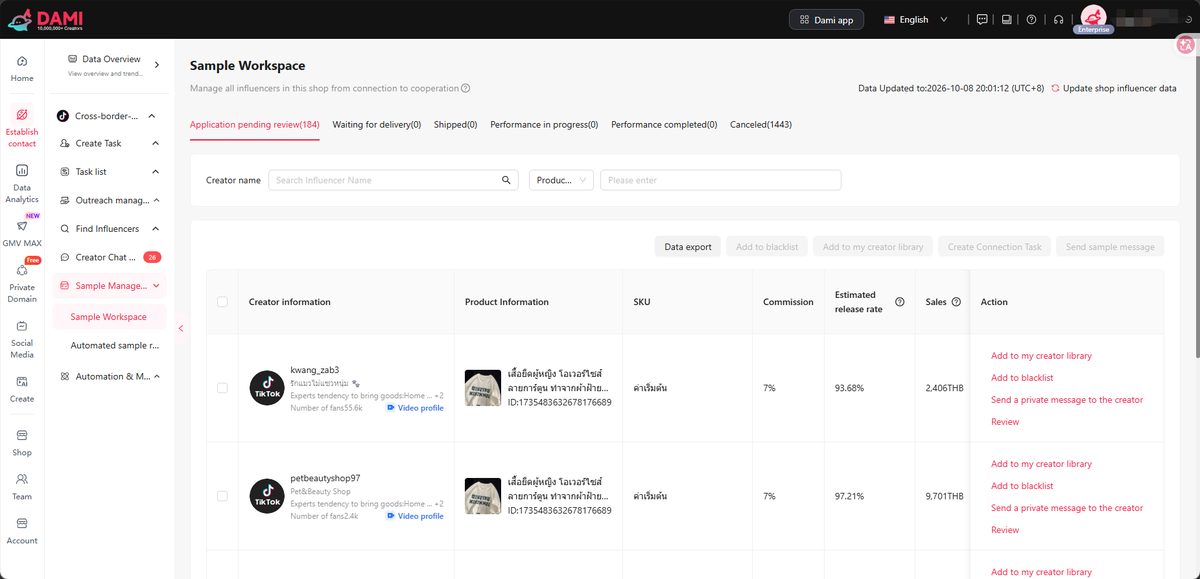
Sample management inside DAMI Ultra tracks who got what and when. Targeted plan management in DAMI Ultra sets the commission rate and the duration in one place, then connects back to the creator conversation so both sides are clear on the deal. When the creator publishes, the link tracking shows the team which video drove the sale and what the commission payout should be.
A brand operator at a home-goods company in Manila said the code mix-ups used to be a weekly headache. “Once we had samples, commissions, and codes in one place, the wrong-link posts basically stopped. That alone paid for the tool.”
Maya’s Friday: Seeing All Five Stores at a Glance
Friday is review day. Maya opens the DAMI Ultra store-data view and sees all five accounts in one screen. She can compare which stores are up, which are flat, and which creators are producing. The team dashboard gives a shared view of who is responsible for which campaign, and which ones are paying off.
What Maya looks for is the 80/20 pattern: the small group of creators driving most of the revenue across the five stores. The data view shows it without her having to export anything. When she finds a winner, she can shift more sample inventory to that creator next week. When she finds a flat campaign, she can move on instead of hoping it picks up.
The point is not more charts. The point is that a Friday review takes an hour instead of an afternoon, and the answer to “where do we double down next week” is one screen away.
What Maya’s Team Actually Uses in DAMI Ultra
By the time Maya sits down for the Friday review, her team has touched most of what DAMI Ultra offers. Here is the working list, in plain terms:
- One workspace across multiple TikTok Shop stores
- An 8-million-plus creator library
- A 10-million-plus short-video asset library
- Mining creators from competitor and rival stores
- Bulk invitations with message templates
- AI multi-language messaging in Thai, Vietnamese, Indonesian, and Malay
- AI-managed communication handling and follow-ups
- Sample management
- Targeted plan management with commission rates and durations
- Store data analysis across accounts
- Multi-store coordination
- Team dashboards with shared views
- AI video generation for shoppable content
- Email broadcasting with link tracking
- They sell on TikTok Shop in more than one market, or run multiple stores within a market.
- They carry enough SKUs that one-off outreach does not scale — 10 to 200-plus is the typical range.
- They work as a multi-store brand, an agency, or a brand operator with a small team.
- They want creator partnerships to be a repeatable process, not a series of bets.
- They are ready to manage creators in volume, not as one-off sponsorships.
That is the working toolkit. Maya’s team does not use every feature every day, but having them in the same place means new operators ramp up in a week instead of a month. DAMI Ultra is less about any single feature than about the fact that none of those workflows live in a separate tool.
Who DAMI Ultra Works For
DAMI Ultra fits a particular kind of operation. The teams that get the most out of it share a few traits:
If that sounds like your setup, the workspace Maya’s team uses is worth a closer look. If you are still figuring out whether TikTok Shop creator marketing works at all, a lighter starting point may make more sense.
Frequently Asked Questions
Is DAMI Ultra only for big sellers?
No. DAMI Ultra scales from solo operators to multi-store brands. The features that matter to a small team are bulk outreach and creator discovery; the features that matter to a larger team are multi-store coordination and team dashboards.
How is DAMI Ultra different from a basic DAMI plan?
DAMI Ultra brings the full set of features into one workspace — multi-store coordination, team dashboards, AI multi-language, sample and commission management — and is designed for teams that need to run creator operations across stores and markets, not just one.
Can a small team really use DAMI Ultra, or is it overkill?
A small team with multiple stores is exactly who DAMI Ultra is built for. The point is to stop the manual switching, the duplicated outreach, and the scattered sample tracking. A solo operator with one store has less to gain from it.
Does DAMI Ultra work for agencies managing client brands?
Yes. The multi-store coordination and team dashboards in DAMI Ultra are the same features agencies use to keep client accounts separate while running operations centrally.
How long does it take to set up DAMI Ultra?
For most teams, connecting TikTok Shop stores and importing an existing creator list is a same-day exercise. The bigger change is operational, not technical — deciding which templates, filters, and commission plans the team will use going forward.
See How Maya’s Team Works
If the week above sounds familiar — multiple stores, multiple markets, manual outreach, scattered sample tracking — there is a workspace where it all runs from one login. Create your DAMI workspace to see the multi-store view Maya’s team uses. You can also see the full feature list on the DAMI Ultra product page.
The first store is the hardest. The fourth store is just another tab.