Eighty SKUs, one seller, no editor. The plan was to test whether TikTok Shop one-click video could carry a product at all before paying anyone to shoot. So the afternoon went on it, link by link, and by evening roughly half the output was good enough to post. The other half was not a tooling failure — it was the listings talking. Products with four photos and a two-line description produced thin video, because there was nothing in the input to work with.
That is the useful thing about this format. It runs on what you already published, so it doubles as an audit of your own listings.
This is written for the seller running thirty to a hundred SKUs in the US or Southeast Asia with no in-house editor — the one who needs a steady supply of usable clips and cannot wait two weeks for a shoot every time a product is added.
What one pass returns, and what it needs from your listing
TikTok Shop one-click video takes a product link or product ID — or a product already bound to the shop — and returns a short vertical video assembled from that product’s own imagery and copy. It arrives as a finished asset you can publish or edit further, not as a template you still have to fill.
The output is a product video, which is a specific and limited thing. It shows the product, states what it is, and holds attention for a few seconds. It does not invent a scenario, cast a person, or tell a story about someone’s day. If the clip you need is “a woman in a Jakarta apartment discovering this serum,” one-click video is not going to produce it, and trying to force that look out of product photography gets you a slideshow with music.
Where it earns its place is volume and recency. A newly listed SKU can have a postable clip the same day. A season change can refresh thirty products in an afternoon. Neither of those is a creative win; both are supply.
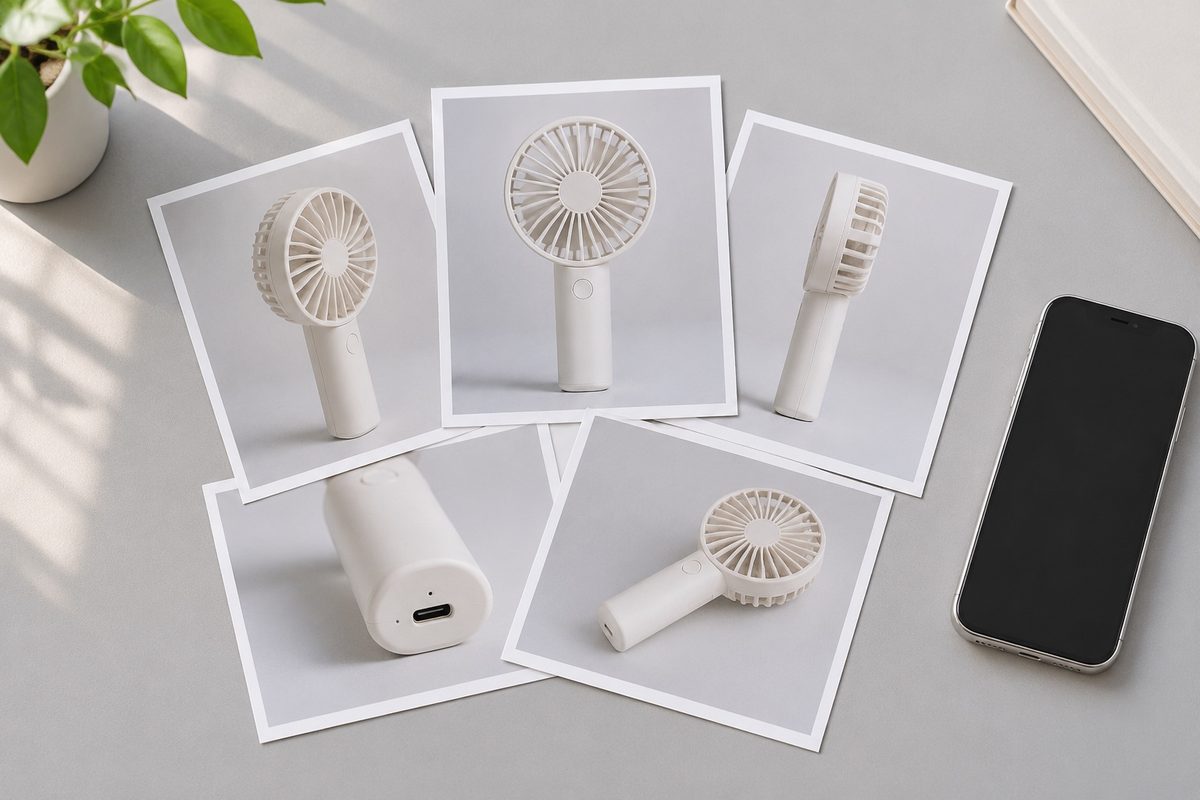
Generation quality tracks the listing, not the prompt. Products with clean multi-angle photography and a description that names materials, sizes and use cases come out looking like a product ad. Products with one flat photo and a title come out looking like a placeholder.
Products with clean multi-angle photography and a description that names materials, sizes and use cases come out looking like a product ad. Products with one flat photo and a title come out looking like a placeholder.
The practical check before you run a batch: does the listing have at least three photos from different angles, and does the description contain a sentence a human would say out loud? If both are yes, run it. If not, fix the listing first — that work pays back twice, because the same photos and copy also decide whether the listing converts once the video sends traffic to it. If the product is already bound to your shop in DAMI, generation reads it directly instead of asking for a link.
| What the listing has | What the generated clip looks like | Worth posting? |
|---|---|---|
| 4+ angles, described materials, a use case | Reads as a product ad, product legible in the first second | Yes, as-is |
| 3 angles, thin description | Visually fine, says almost nothing about the product | Yes, with a rewritten first line |
| 1 flat photo, title only | Static frame with movement added around it | No — rephotograph first |
| Photos of a variant you no longer stock | Clip advertises the wrong item | No — this is the expensive one |
The last row causes the most damage and is the easiest to miss. A listing edited three months ago may still carry images of a discontinued colour. Generation will faithfully build a video around a product you cannot ship, and it will look completely fine while doing it.
Where it saves the week and where it doesn’t
It saves the week on the middle of the catalogue — the twenty products that will never justify a shoot but still need something to post. Those clips are not going to win a creative award. They keep a creator account fed, they give paid traffic something to point at, and they cost an afternoon instead of a budget line. That middle of the catalogue is what one-click video is actually for.
It does not save the week on the one or two hero products that carry the quarter. For those, the difference between a generated clip and a shot clip is the difference between a viewer understanding the product and a viewer wanting it, and that gap shows up in the numbers. Running generation on a hero product to save a shoot is a false economy, and it is the most common way teams talk themselves out of the shoot they needed.
There is a second cost that does not appear on any dashboard: review time. Thirty generated clips still have to be watched, and watching them properly takes longer than people plan for. Half a day of generation is often a full day of review once you count rewatching a clip three times to decide whether the product reads clearly at thumbnail size. DAMI’s per-video numbers shorten that loop later, but they cannot tell you on the first watch whether the clip is any good.

Feeding a set of accounts, and what one pass will not decide
Once clips exist, the bottleneck moves to distribution. A single creator account posting twice a week cannot absorb thirty new assets, which is why generation only becomes useful when it is paired with somewhere to put the output.
In the DAMI workspace the generated project carries through to publishing, where one clip can go to several authorised creator accounts with the product anchor attached, on a schedule rather than all at once. That is also the point where the clips start producing data you can act on — which video held attention, which one moved a SKU — instead of sitting in a folder.
A caution that costs people a week: fill the schedule before you run one-click video on the batch, not after. Generating thirty clips and then discovering you have posting slots for nine leaves twenty-one assets that will be stale by the time they run, and stale product clips advertise things you have since changed.
It will not tell you whether a product is worth selling. Generation is production, not selection — it makes an asset for a decision you have already made. A seller who runs the whole catalogue through it and then looks for the winner in the output has the order backwards.
It will not fix a product that photographs badly. If the thing is hard to see — clear liquid, matte black, something small — the generated clip inherits that difficulty and adds motion to it. Changing the photograph is the fix; changing the tool is not.
And it will not replace the hook work. The first two seconds still decide whether anyone stays, and a generated clip’s opening frame is only as strong as the photo it came from. That is why writing the hook first, then generating around it, beats generating and then captioning whatever came out. The creator brief and hook bank is the part that still needs a person; replicating a structure that already worked is the part that can be borrowed.
FAQ
Do I need professional photos to start?
Three angles on a phone in daylight is enough to produce something postable. One flat photo is not, and no amount of generation turns it into a product video.
Can I edit what it produces?
Yes. The output is a working asset, not a locked file, and the usual edits — trimming, reordering, changing the opening frame — are the ones that matter most. Expect to spend that time on anything going to a hero product.
Is a generated clip worse than a creator’s own video?
Usually, for reach. A creator’s face and voice carry further than a product clip, and no amount of assembly replaces that. Generated clips hold their ground on catalogue breadth and on speed, not on reach.
Run one-click video on ten products this week and watch which of the clips you would actually post. The pattern in that list tells you more about your listings than about the tool. The DAMI creation and publishing workspace is where generation, scheduling and the resulting per-video numbers sit together, or you can create an account and run the first link through it today.