
How to Use DAMI for TikTok Shop Creator Outreach
Follow a practical DAMI Ultra workflow from official store authorization to creator segmentation, outreach tasks, message handling, sample tracking, and performance review.
Before you start
This tutorial is built from the DAMI Ultra Yuque workflow. It focuses on the actions a TikTok Shop seller or operator needs before running creator outreach at scale.
Step 1: authorize your TikTok Shop store
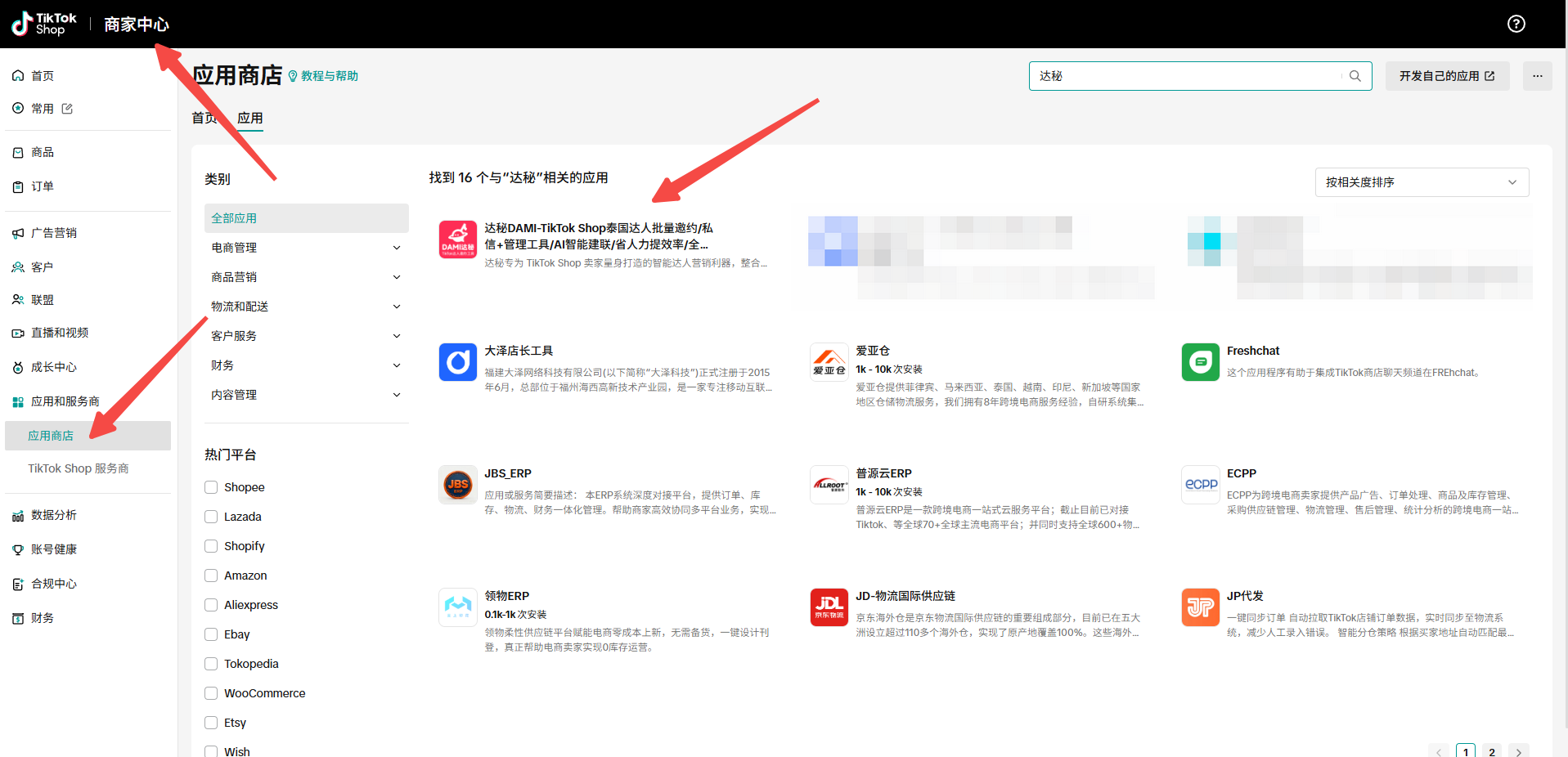
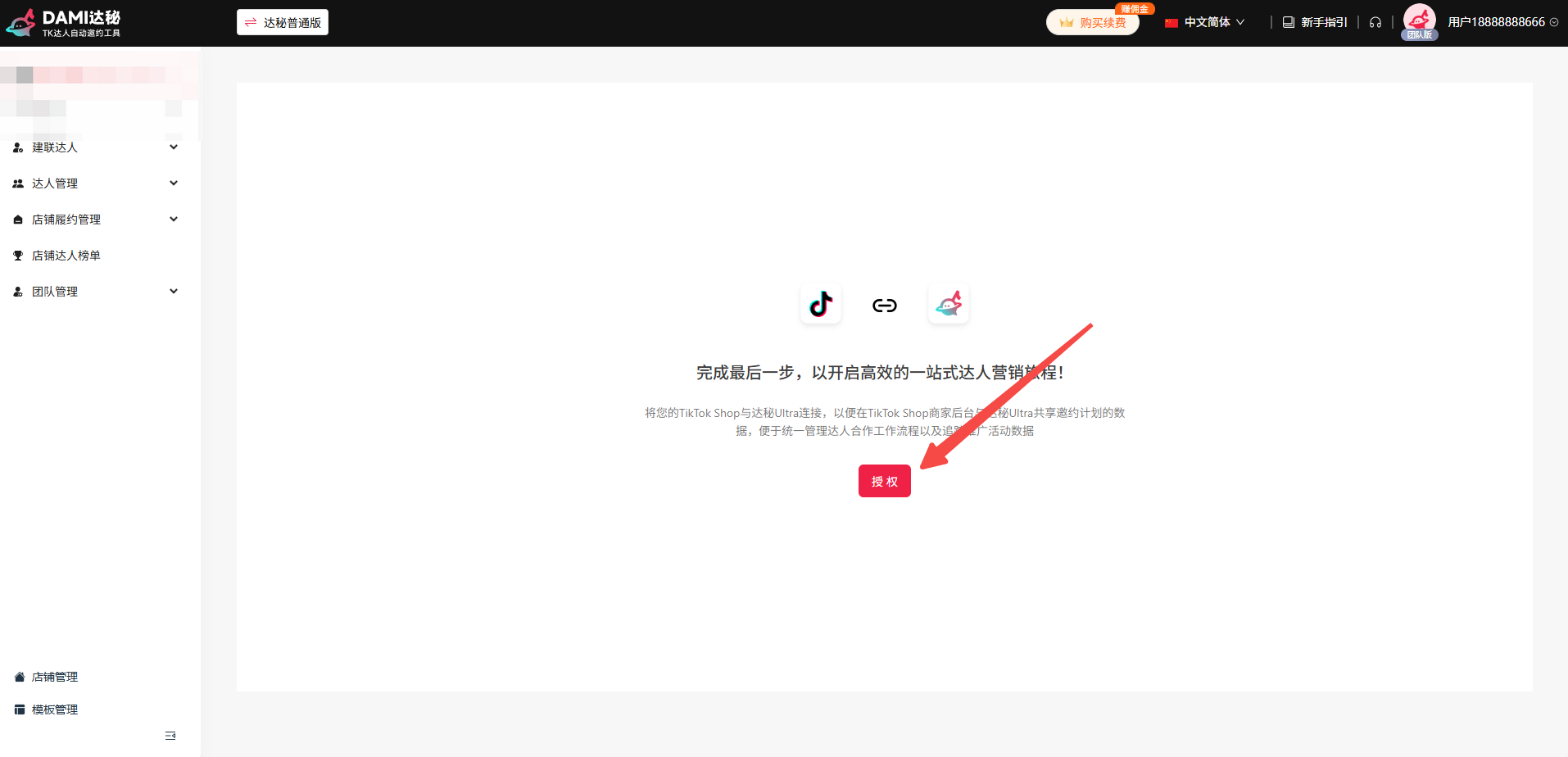
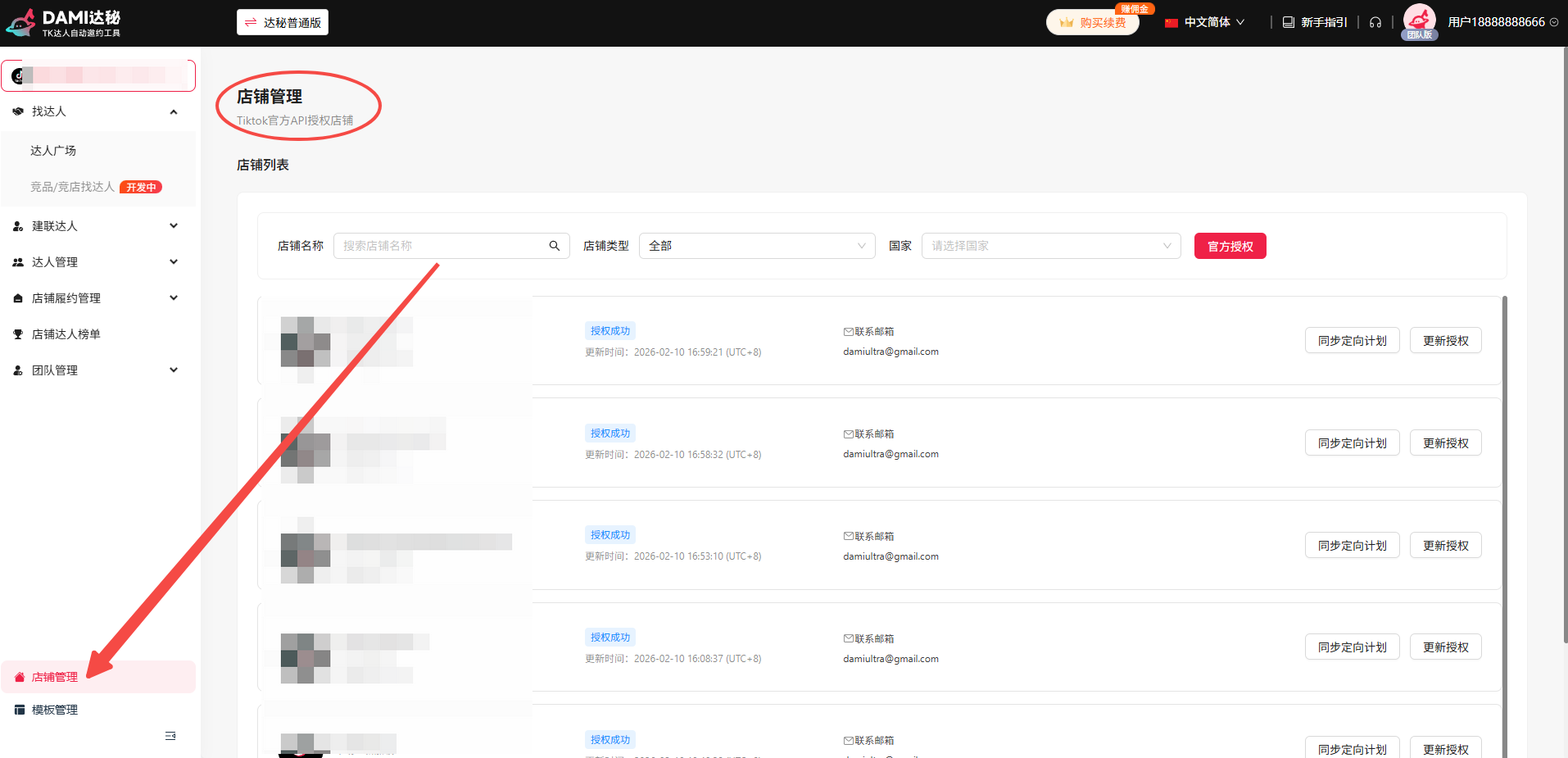
DAMI starts with official store authorization. Search for DAMI in the app marketplace, open Store Management, and complete the authorization flow.
Step 2: define creator criteria and build a segment
Choose product and market fit
Start with product category, target market, creator style, content language, and collaboration goal.
Use condition combinations
DAMI supports multiple filter combinations so teams can build reusable creator segments instead of starting from scratch every time.
Batch-select creators
Use cross-page manual selection or sequence-based selection when building a task from a larger creator list.
Step 3: create the outreach task
DAMI supports batch invitations, batch DMs, mass email, automation creator pools, and targeting plan management. Choose the method that matches campaign maturity and creator intent.
Batch invitations
Configure rules, select creators, and choose curated, auto-match, or specific-creator mode.
Batch DMs
Configure conditions, select creators, and keep daily DM volume responsible. The source recommends no more than 999 creators per day.
Mass email
Create an email task, choose platform email or your own mailbox, then select creators and sending mode.
Step 4: manage replies, samples, and fulfillment
| Area | What to review | Why it matters |
|---|---|---|
| Creator library | Saved creators, tags, outreach history, blacklist notes. | Prevents repeated work and duplicate outreach. |
| Sample review | Requests that match configured rules. | Controls sample cost and fulfillment quality. |
| Message center | Recent creator messages across authorized stores. | Keeps replies and follow-up visible to the team. |
| Fulfillment videos | Videos from creators marked fulfillment completed. | Connects outreach to content and sales review. |
| Team management | Primary account, sub-accounts, assigned stores. | Supports multi-store operator teams. |
Tutorial FAQ
What is the safest first campaign?
Start with one store, one product group, one creator segment, and one outreach method. Review failures before scaling.
What should I do when creators fail during invitation?
The source notes that some failures may happen. Create a new task, switch to auto-match mode, export failed creators, and retry later.
Why is there no fulfillment video data?
Video data depends on creators reaching Fulfillment Completed status in Store Creator Management.
Use the tutorial with outreach templates
Pair DAMI setup with DM scripts, email templates, and a creator tracking sheet.